Solo anime performer
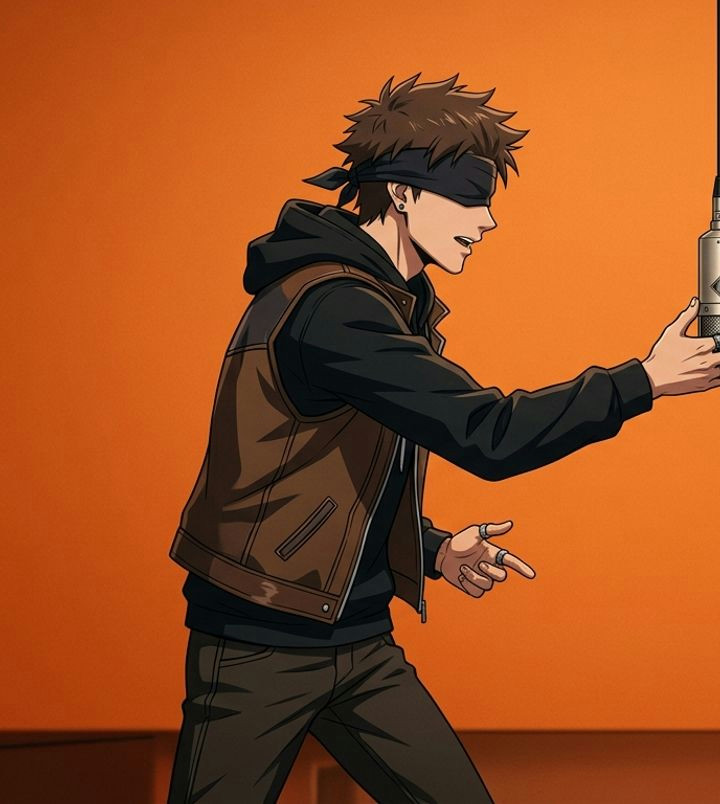
One synthetic portrait becomes an orange-booth performance. The model retains the illustrated look, with blurred padding above and below the reference composition.
Upload one or two photos, choose your take and review your video here.
Your cast. Your next performance.
REAL INPUTS. ACTUAL OUTPUTS.
These Solo and pet clips were rendered through our production service using synthetic portraits. Both are approximately 5 seconds at 720 × 1280. They show new motion, not the original routine or a guarantee of your result.
One synthetic portrait becomes an orange-booth performance. The model retains the illustrated look, with blurred padding above and below the reference composition.
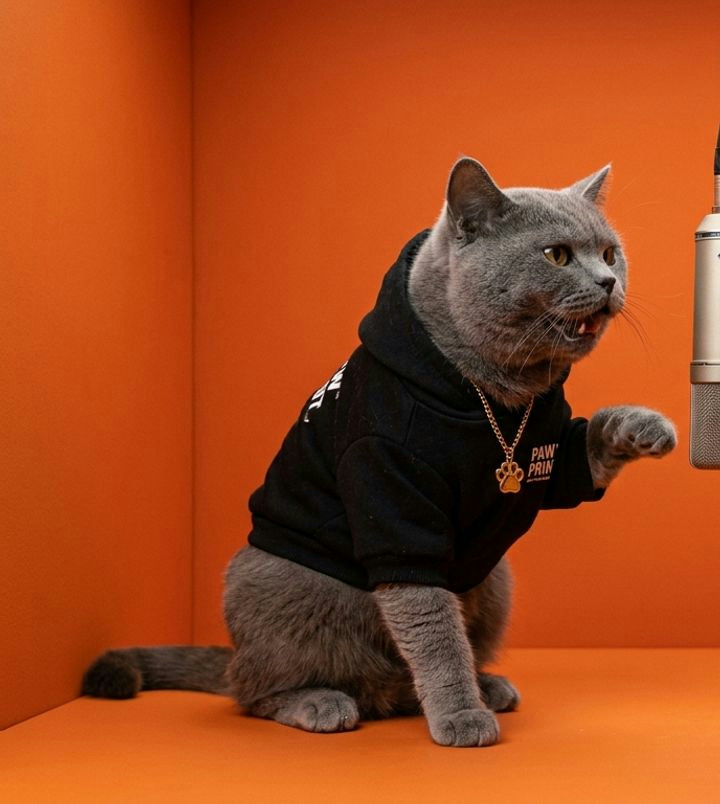
A synthetic cat reference becomes an animated performance. Review the mouth and paws throughout the clip; model-generated audio is not the original Hotel Lobby song.
Blurred padding is visible around the prepared reference. Look at the whole clip for changed faces, hands or paws, framing and audio. These are shared Hotel Lobby website-family test cases, not customer testimonials.
Read the example notesA BETTER FIRST TAKE
Use 5 seconds at 720p to check your cast and composition. Solo and Duet follow the same credit schedule.
A longer take adds time; 1080p adds resolution. Neither guarantees better likeness, shared staging or song-specific timing.
Save the MP4, listen to its existing sound and add permitted music in an editor. Reopen your final export before posting.
CREATE AT YOUR OWN PACE
Choose monthly credits
or buy a pack when you need it.
MONTHLY PLAN
$9.90 / month
80 credits each month
Renews monthly. Cancel through billing.
MONTHLY PLAN
$19.90 / month
170 credits each month
Renews monthly. Cancel through billing.
MONTHLY PLAN
$49.90 / month
450 credits each month
Renews monthly. Cancel through billing.
ONE-TIME PACK
$9.90 one time
70 credits
Purchased credits do not expire.
ONE-TIME PACK
$19.90 one time
150 credits
Purchased credits do not expire.
ONE-TIME PACK
$29.90 one time
230 credits
Purchased credits do not expire.
ONE-TIME PACK
$69.90 one time
550 credits
Purchased credits do not expire.
Credits belong to this website. Original recording and exact song-specific lip sync are not included.
BEFORE AND AFTER YOUR TAKE
Choose one clear photo for Solo or two separate portraits for Duet. Each performer should have an unobstructed face. JPEG, PNG and WebP are supported, up to 8 MB and 4 megapixels per photo. Only use photos you have permission to use.
A new account on this website receives 50 welcome credits once. One 5-second 720p video costs 50 credits. There is no daily allowance or unlimited free generation. The homepage and this studio use the same account, credits and video history.
Start with 5 seconds at 720p (50 credits) to review composition. A 15-second 720p take costs 120 credits. At 1080p, 5 seconds costs 80 and 15 seconds costs 200 credits. Higher resolution cannot reliably repair an incorrect face or scene.
A confirmed generation failure returns the reserved credits. A pending or unconfirmed task should be checked again in your video history instead of resubmitted. A completed clip with an unwanted creative result is different from a failed generation. Keep the task ID if you need support.
Use this website in your phone or desktop browser. No separate app installation is required. Choose photos, review the credit cost and sign in before generating. You can return to your account history to check a task after leaving the page.
Use Open / download your video in the result panel or open a completed clip from your account video history. If your browser opens a player, use its available save or download option; controls vary by browser. Keep the original file before editing.
The photo workflow generates new motion inspired by the orange studio and hanging microphone. It does not supply the original recording, copy the source routine or guarantee song-specific lip sync. Listen to the downloaded clip before adding your own permitted soundtrack in an editor.